
SAS Macro Facility: Macro Variables, %MACRO & CALL SYMPUTX
Automate repetitive data workflows with macro substitution and dynamic runtime code generation.
Direct Answer / Executive Definition
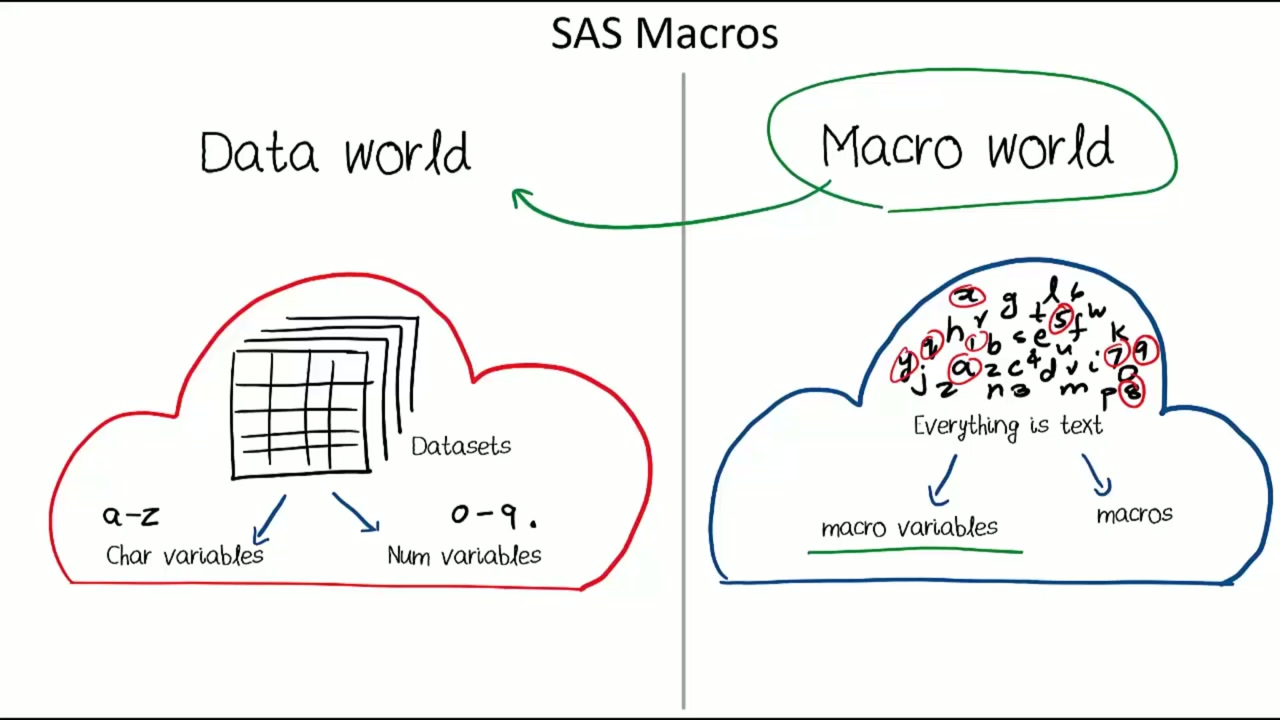
The SAS Macro Facility is a pre-processor and code generator that allows programmers to write dynamic, reusable programs. Macro variables are stored in the global or local symbol table and referenced with an ampersand (&). CALL SYMPUTX assigns runtime DATA step values directly to macro variables.
Why Macro Automation & Runtime Code Generation Matter in Enterprise SAS
Macro programming turns static scripts into flexible production data pipelines, automating daily batches, monthly reports, and clinical trial summary tables.
Standard Syntax, Derivation & Framework Pattern
/* Defining and Using Macro Variables */
%LET min_age = 14;

PROC PRINT DATA=sashelp.class;
    WHERE Age >= &min_age;
    TITLE "Students Aged &min_age and Older";
RUN;

/* Passing Runtime DATA Step Values to Macros */
DATA _NULL_;
    SET sashelp.class END=last_row;
    IF last_row THEN CALL SYMPUTX('total_students', _N_);
RUN;

%PUT Total Enrolled Students: &total_students;
Core Rules
- The SAS Macro Processor scans and resolves macro triggers (& for variables, % for macro calls) before compilation.
- Single quotes ('') suppress macro resolution; always use double quotes ("") when referencing macro variables in titles or strings.
- CALL SYMPUTX('macro_var', value) automatically converts and strips leading/trailing blanks before storing into the symbol table.
- Macros are encapsulated with %MACRO macro_name(params) and closed with %MEND macro_name.
Related Architectural Concepts & Next Steps
Deepen your mastery with connected topics across our curriculum and knowledge hubs.
Frequently Asked Questions (FAQ)
Why does my macro variable &var not resolve in a TITLE statement?
If the TITLE statement uses single quotes ('&var'), SAS treats it as a literal string. Always enclose text containing macro variables in double quotes ("&var").
What is the advantage of CALL SYMPUTX over CALL SYMPUT?
CALL SYMPUTX automatically trims leading and trailing whitespace from character values and converts numeric values to characters without emitting formatting warnings.
Want complete video breakdowns & exercises?
Explore full step-by-step masterclass training in The Simplest Guide to SAS Programming.